5.1提前放价,3年企业版2399元,立省600元!查看活动
当前位置:论坛首页 > Linux面板 > 求助

【已回应】PHP7.1 fileinfo扩展安装不上。5.6 7.2 都试过,

发表在 Linux面板2020-2-10 01:30 [复制链接] 6 2435

  1. [10-Feb-2020 01:26:54] NOTICE: fpm is running, pid 26285
  2. [10-Feb-2020 01:26:54] NOTICE: ready to handle connections
  3. [10-Feb-2020 01:26:54] NOTICE: Reloading in progress ...
  4. [10-Feb-2020 01:26:54] NOTICE: reloading: execvp("/www/server/php/71/sbin/php-fpm", {"/www/server/php/71/sbin/php-fpm", "--daemonize", "--fpm-config", "/www/server/php/71/etc/php-fpm.conf", "--pid", "/www/server/php/71/var/run/php-fpm.pid"})
  5. [10-Feb-2020 01:26:54] NOTICE: using inherited socket fd=7, "/tmp/php-cgi-71.sock"
  6. [10-Feb-2020 01:26:54] NOTICE: using inherited socket fd=7, "/tmp/php-cgi-71.sock"
  7. [10-Feb-2020 01:26:54] NOTICE: fpm is running, pid 26304
  8. [10-Feb-2020 01:26:54] NOTICE: ready to handle connections
  9. [10-Feb-2020 01:27:16] NOTICE: Reloading in progress ...
  10. [10-Feb-2020 01:27:16] NOTICE: reloading: execvp("/www/server/php/71/sbin/php-fpm", {"/www/server/php/71/sbin/php-fpm", "--daemonize", "--fpm-config", "/www/server/php/71/etc/php-fpm.conf", "--pid", "/www/server/php/71/var/run/php-fpm.pid"})
  11. [10-Feb-2020 01:27:16] NOTICE: using inherited socket fd=7, "/tmp/php-cgi-71.sock"
  12. [10-Feb-2020 01:27:16] NOTICE: using inherited socket fd=7, "/tmp/php-cgi-71.sock"
  13. [10-Feb-2020 01:27:16] NOTICE: fpm is running, pid 26346
  14. [10-Feb-2020 01:27:16] NOTICE: ready to handle connections
复制代码
请大神帮忙
使用道具 举报 只看该作者 回复
发表于 2020-2-10 09:27:10 | 显示全部楼层
补充下:服务器内存 2G。Swap也设置过。
使用道具 举报 回复 支持 反对
发表于 2020-2-10 10:10:44 | 显示全部楼层
skyboy 发表于 2020-2-10 09:27
补充下:服务器内存 2G。Swap也设置过。

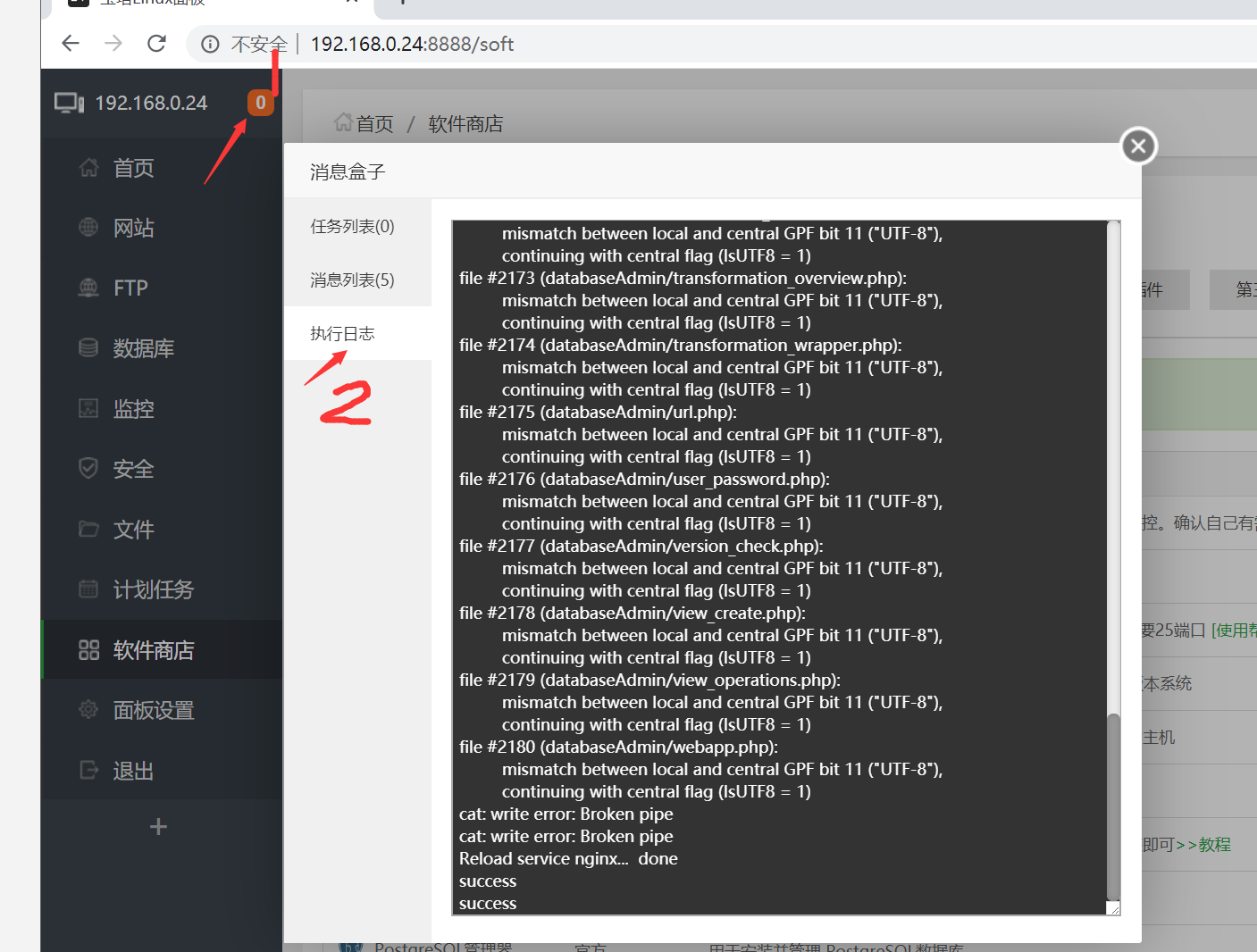
截图发执行日志这里, 执行日志.png
使用道具 举报 回复 支持 反对
发表于 2020-2-10 12:31:14 | 显示全部楼层
  1. 正在选择下载节点...
  2. --2020-02-10 12:25:10--  128.1.1.196/install/1/fileinfo.sh
  3. Connecting to 128.1.1.196:80... connected.
  4. HTTP request sent, awaiting response... 200 OK
  5. Length: 3438 (3.4K) [application/octet-stream]
  6. Saving to: ‘fileinfo.sh’

  7.      0K ...                                                   100% 2.31M=0.001s

  8. 2020-02-10 12:25:10 (2.31 MB/s) - ‘fileinfo.sh’ saved [3438/3438]

  9. --2020-02-10 12:25:10--  download.bt.cn/install/public.sh
  10. Resolving download.bt.cn (download.bt.cn)... 125.88.182.172, 119.147.144.34
  11. Connecting to download.bt.cn (download.bt.cn)|125.88.182.172|:80... connected.
  12. HTTP request sent, awaiting response... 200 OK
  13. Length: 3640 (3.6K) [application/octet-stream]
  14. Saving to: ‘/www/server/panel/install/public.sh’

  15.      0K ...                                                   100% 4.75M=0.001s

  16. 2020-02-10 12:25:10 (4.75 MB/s) - ‘/www/server/panel/install/public.sh’ saved [3640/3640]

  17. 正在选择下载节点...
  18. Configuring for:
  19. PHP Api Version:         20160303
  20. Zend Module Api No:      20160303
  21. Zend Extension Api No:   320160303
  22. checking for grep that handles long lines and -e... /bin/grep
  23. checking for egrep... /bin/grep -E
  24. checking for a sed that does not truncate output... /bin/sed
  25. checking for cc... cc
  26. checking whether the C compiler works... yes
  27. checking for C compiler default output file name... a.out
  28. checking for suffix of executables...
  29. checking whether we are cross compiling... no
  30. checking for suffix of object files... o
  31. checking whether we are using the GNU C compiler... yes
  32. checking whether cc accepts -g... yes
  33. checking for cc option to accept ISO C89... none needed
  34. checking how to run the C preprocessor... /lib/cpp
  35. configure: error: in `/www/server/php/71/src/ext/fileinfo':
  36. configure: error: C preprocessor "/lib/cpp" fails sanity check
  37. See `config.log' for more details
  38. make: *** No targets specified and no makefile found.  Stop.
  39. error
复制代码
使用道具 举报 回复 支持 反对
发表于 2020-2-10 12:34:18 | 显示全部楼层
上面是按照  大炮运维V587 大神的要求 发的日志。只是把Ip中的“6”“4”删了。和h t t p : / / 删了。其他没动。谢谢。
使用道具 举报 回复 支持 反对
发表于 2020-2-10 12:58:10 | 显示全部楼层
yum install gcc
yum update
yum install gcc build-essential

yum install gcc gcc-c++ autoconf automake
yum -y install zlib zlib-devel openssl openssl-devel pcre pcre-devel
都执行过了。
使用道具 举报 回复 支持 反对
发表于 2020-2-10 13:13:03 | 显示全部楼层
缺少必要的C++库,如下命令重装解决。

yum reinstall glibc-headers gcc-c++ -y


解决了。。
使用道具 举报 回复 支持 反对
您需要登录后才可以回帖 登录 | 立即注册

本版积分规则

紧急运维服务

响应时间:3分钟

问题处理方式:宝塔专家1对1服务

工作时间:工作日:9:00 - 18:30

宝塔专业团队为您解决服务器疑难问题

点击联系技术分析

工作时间:09:00至18:30

快速回复 返回顶部 返回列表